
 All vikis
Banned Graphics Settings
From Wardogs Season 3 (Nov 12, 2026) you can be banned for graphics changes made outside the game's menu. Using NVIDIA Inspector or other third-party software to remove smoke or grass, modify geometry, alter LOD bias or change textures is bannable, and so is forcing the potato shadow setting on a PC above minimum spec. Settings picked in the in-game menu are not on Bulkhead's list.
Yes, graphics tweaks can get you banned in Wardogs from Season 3 (Nov 12, 2026), but only ones made outside the game's own settings menu: Bulkhead's Season 03 patch notes (Nov 11, 2026) say "Using NVIDIA Inspector or any other 3rd party software to remove smokes, remove grass, modify geometry, alter LOD bias or changing textures is now considered bannable", and that getting around the game's reset of the "potato" shadow setting on stronger hardware is "a bannable offense from Season 3". Nothing you can select in the in-game menu is on that list.
Next: the menu settings the guides recommend, none of them on the list, what a Wardogs ban does to your account or the minimum spec that decides who is offered potato shadows.
What happens for each kind of change
| What you did | What Season 3 does | Bannable, in Bulkhead's words |
|---|---|---|
| Changed a setting in the in-game menu | Nothing | Not mentioned |
| Set one of the named NVIDIA Inspector tweaks | Blocks you at launch with a warning popup "politely asking you to close the game and change the settings" | "now considered bannable" |
| Forced a way past that popup | "we consider that bannable" | |
| Put potato shadows in your .ini files on a PC above minimum spec | Forces "a reset of this specific potato shadow setting on boot" | The reset is the response; no ban is stated |
| Got around the reset, "for example by spoofing their system specs" | "a bannable offense from Season 3" |
Source: Bulkhead's Season 03 patch notes, Nov 11, 2026, read Nov 13, 2026. The order of the rows is ours.
Read as a ladder, the first response to each offense is not a ban. An Inspector profile gets you a popup and a closed game. An edited .ini gets the setting put back. The bans the notes describe are for the second step, working around the block. That reading is ours, and the notes' first sentence is blunter than the ladder: it calls the Inspector tweaks bannable outright, so remove them before you launch.
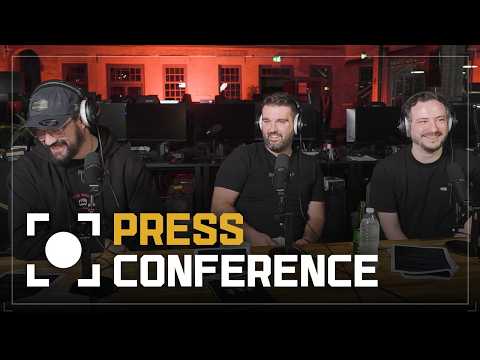
The rule was a month in coming. At Bulkhead's first press conference, on Oct 9, 2026, a viewer asked about "players using Nvidia Inspector or forcing potato mode on high-end systems", tied in the question to turning shadows off in the game files, and the developers answered that it was "stuff we're working on": NVIDIA had been helpful with drivers, they said, "but then we're like, but you're building cheats."
Who is allowed potato shadows
The lowest shadow setting is hidden from most players on purpose. The notes: "we do not display or allow users to set the 'potato' shadow setting via the ingame settings menu unless we have detected your hardware is truly min spec on boot", and players who do see it "are barely able to hit our minimum spec standards". If the game offers you the setting, you may use it. The rule is about the one shadow setting, not the Potato preset as a whole, as Bulkhead said in its Nov 7 thread (Anti-Cheat and Bans).
Why this setting, of all of them? Game Guides benchmarked every option on Sep 10, 2026 and shows it: "with shadow potato, you essentially disable any and all shadows in game", and "any players hiding underneath these trees are likely sticking out more with shadow set to potato". He found Shadows on Low ran "essentially the same" as on High, and left his own on Medium because the game "looks absolutely horrendous" on Potato.
What else changed in the menu
Season 3 also takes one choice away from everyone. Global Illumination "now only appears on the Overkill preset", where it can be turned on or off; on every other preset it is off and hidden. A guide written before Nov 12, 2026 that tells you to toggle it on a lower preset is out of date.
Our view
We think the rule is drawn in the right place: it leaves every menu choice alone, including the low settings that Best Settings collects from the guides, and goes after changes that only a driver tool or a spoofed hardware check can make. We also think it will catch people who copied an "FPS boost" Inspector profile months ago and forgot it. If you ever imported one, open NVIDIA Inspector, reset the Wardogs profile to defaults, and then start the game. At the Nov 12 press conference a developer put the whole rule in one line: "don't use Nvidia Inspector or potato will ban you".
Sources
- WARDOGS | Season 03 Patch Notes, Bulkhead (Steam news), Nov 11, 2026, read Nov 13, 2026
- Best Wardogs Settings: Every Graphic Setting Benchmarked and Compared, Game Guides, Sep 10, 2026 (video)
- WARDOGS | Press Conference 02 | Season 03 Launch, Bulkhead, Nov 12, 2026 (video)
Moments
WARDOGS | Press Conference 01 | Road to Season 02
BULKHEAD
Best Wardogs Settings: Every Graphic Setting Benchmarked and Compared
Game Guides
Related
-
 AchievementsWardogs has 10 Steam achievements, one of them hidden ("That was rude": punch Kristopher in the Tutorial). "Top Dog" asks you to finish a match as the top cash earner across all three teams; "Big Spender" ($100,000 on one loadout) is the rarest, held by 0.0% of players on Oct 26, 2026.
-
-
 Gold Bars and the Gold MarketGold Bars are Wardogs' endgame currency: you get them by exchanging in-game cash, and leftover cash turns into Gold Bars at the end of a season, so they survive wipes. They are spent on camos in the Gold Market, which unlocks at Wardog level 35 for $150,000 in Season 2. Bulkhead has pledged never to sell cash, Gold Bars or camos for real money.
-
 Progression and UnlocksWardogs has seven progression tracks: the Wardog career track and six roles (Assault, Medic, Recon, Support, Driver, Pilot). Using a role's gear earns that role XP; reaching a level makes an item available, and you then pay a one-time cash unlock (the Havoc costs $650,000 at Pilot 35 in Season 2). Every track resets at a season wipe; Season 2 (Oct 15, 2026) made level 20 take less than half the Season 1 playtime.
-
-
 FactionsWardogs has three factions: Lonestar (blue), a Western paramilitary company; Valkyra (red), out to restore the Soviet People's Republic; and Manticore (green), Persia's shadow army. They play the same, but blue has lost more often since the betas, and Season 2's one-day Lonestar bonus did not fix it.
-
-
See also
-
 Best SettingsThe guides agree on the core of a Wardogs setup for frame rate and visibility: Motion Blur, Depth of Field, Lens Flare and Bloom off, shadows and reflections at their lowest, view distance kept high, Nvidia Reflex on and an upscaler (DLSS or FSR) for frames. They disagree on VSync and on Reflections (Potato or Low).
-
 Anti-Cheat and BansWardogs uses the kernel-level anti-cheat Elytra, per its Steam store page; the betas used Easy Anti-Cheat, and the switch is why Wardogs does not run on Linux or Steam Deck. Bulkhead bans cheaters and exploiters (cash and XP reset to 0, timed or permanent bans), turned off Steam Family Sharing on Sep 18, 2026 to stop ban evasion, and capped official servers at 175 ms ping on Oct 21. On Nov 6, 2026 it banned 185,000 accounts it says used external software.
-
 PC Requirements and PerformanceWardogs needs at least 64-bit Windows 10, an Intel Core i5 8600 or AMD Ryzen 5 3500, 16 GB of RAM, an Nvidia GTX 1660 or Radeon RX 590 and 50 GB of storage for 1080p Low at 60 fps upscaled. The recommended spec (Core i7 12700k or Ryzen 7 5700x, RTX 3070 or RX 6700 XT) targets 1440p Medium at 70 fps. Windows only; Steam Deck and Linux are unsupported.
-
 Controls and KeybindsWardogs' default PC keys are W, A, S and D to move, Left Shift to sprint and hold breath, F to interact, R to reload, Tab for the inventory, M for the map, J for squad push-to-talk and K for proximity push-to-talk. Helicopters fly on Shift or Space and Ctrl (sources differ). Gamepads work, with an aim assist slider since Season 2, though Steam lists no controller support.
-
 Crashes and ErrorsMost Wardogs launch errors (the WD-L0 codes such as WD-L014) are fixed for some players by repairing the Elytra anti-cheat from the game's folder; WD-L020 was a Windows 11 update clash fixed in update 0.1.2 on Sep 30, 2026; errors 1147405308 and 1413677057 point to the servers. Official help is Team17 support at support.team17.com.